How to organize your wardrobe with a digital closet app
A digital wardrobe app is a closet in your phone: you save photos of your outfits, tag them by season, occasion or mood, and log what you wear on a calendar. Done right, it shows you what you actually own, helps you plan outfits in seconds and stops you from repeating the same three looks.
Key takeaways
- Save whole outfits, not just single items: it is faster to set up and easier to reuse.
- Tag looks by season, occasion and mood so you can filter them in a second.
- Logging what you wear on a calendar shows your real habits and your forgotten pieces.
- Combined with virtual try-on, the wardrobe becomes a place to test new looks too.
What is a digital wardrobe?
A digital wardrobe (or digital closet) is an app where you keep pictures of your clothes or outfits, organized so you can find, plan and remember them. Some apps catalog every single item; others, like CosplayAI's Wardrobe, work with complete looks, which is much quicker to build and closer to how you actually get dressed.
The point is not to have a pretty catalog. It is to answer "what do I wear today?" faster, rediscover pieces you forgot, and make better decisions before buying something new.
How to set up your digital wardrobe in one weekend
You do not need to photograph everything on day one. Start with what you actually wear.
- Photograph your 10 to 20 favorite outfits, full body, in the same spot with good light.
- Add each look to the wardrobe with a short name you will recognize ("navy blazer + jeans").
- Tag it: season, occasion (work, weekend, date night) and mood.
- Rate it and mark favorites, so your best looks surface first.
- Add a note when useful: how it fit, what to fix, what shoes worked.
- Keep adding as you go: snap your outfit each morning for a week and the wardrobe fills itself.
Plan outfits and stop repeating the same looks
A "what I wore" calendar is the most underrated feature of a digital closet. Logging each day takes five seconds, and after a few weeks you can see your real rotation: the looks you repeat, the ones you never wear, and the gaps that make mornings hard.
Use it to plan ahead too: before a trip or a busy week, filter by season and occasion, pick your outfits, and check you are not wearing the same look to two meetings with the same people.
- Log your outfit every day for two weeks before drawing conclusions.
- Filter by favorites when you are in a rush.
- Look at the looks you never wear: restyle them or let them go.
- Plan the week's outfits on Sunday from your tagged looks.
Use your wardrobe to try new looks
A wardrobe becomes even more useful when it can create new outfits. In CosplayAI, any look saved in your wardrobe can be reused as the base photo for a new AI try-on: keep your favorite photo, try a catalog outfit or a piece from a shop on it, and save the result back to the wardrobe if you like it.
That is the easiest way to test whether a new piece fits your style before buying it; see how to try on clothes before buying them online.
What to look for in a digital closet app
Before you commit hours to setting one up, check a few basics.
- Fast capture: adding a look should take seconds, from the camera or the gallery.
- Useful filters: tags, seasons, favorites and ratings.
- A calendar or outfit log to track what you wear.
- Privacy: know where your photos are stored. CosplayAI keeps the wardrobe on your phone.
- Price: the wardrobe and the wear calendar in CosplayAI are free.
Frequently asked questions
What is the best way to organize clothes in an app?
Save complete outfits rather than single items, tag them by season, occasion and mood, and log what you wear on a calendar.
Is there a free digital wardrobe app?
Yes. The Wardrobe in CosplayAI, including tags, seasons, ratings, notes and the "What I wore" calendar, is free.
How do I stop repeating outfits?
Log what you wear every day for a couple of weeks. The calendar shows your repeats and the looks you have forgotten.
Where are my wardrobe photos stored?
In CosplayAI, your saved looks are stored on your phone.
Can I plan outfits for a trip with a wardrobe app?
Yes. Filter your looks by season and occasion, pick one per day, and save the plan before you pack.
Keep exploring
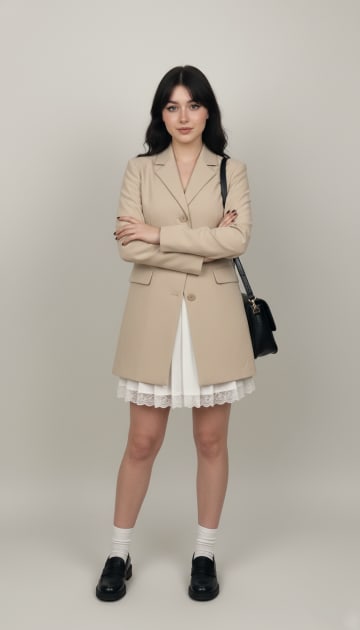
Try before you buy
See a shop item on your own photo before ordering, plus a checklist to avoid returns.
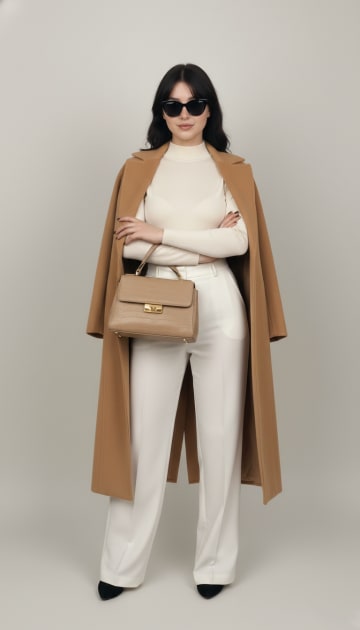
Try on clothes virtually
The photo to take, where to find outfits and how to judge an AI try-on result.
Change clothes in a photo
Swap the outfit in your own photo with an AI clothes changer, step by step.

Build your digital wardrobe
Save your looks, tag them and log what you wear, free on Android.

Free to download on Android. Your first try-ons are on us.